
Reply Suggestions
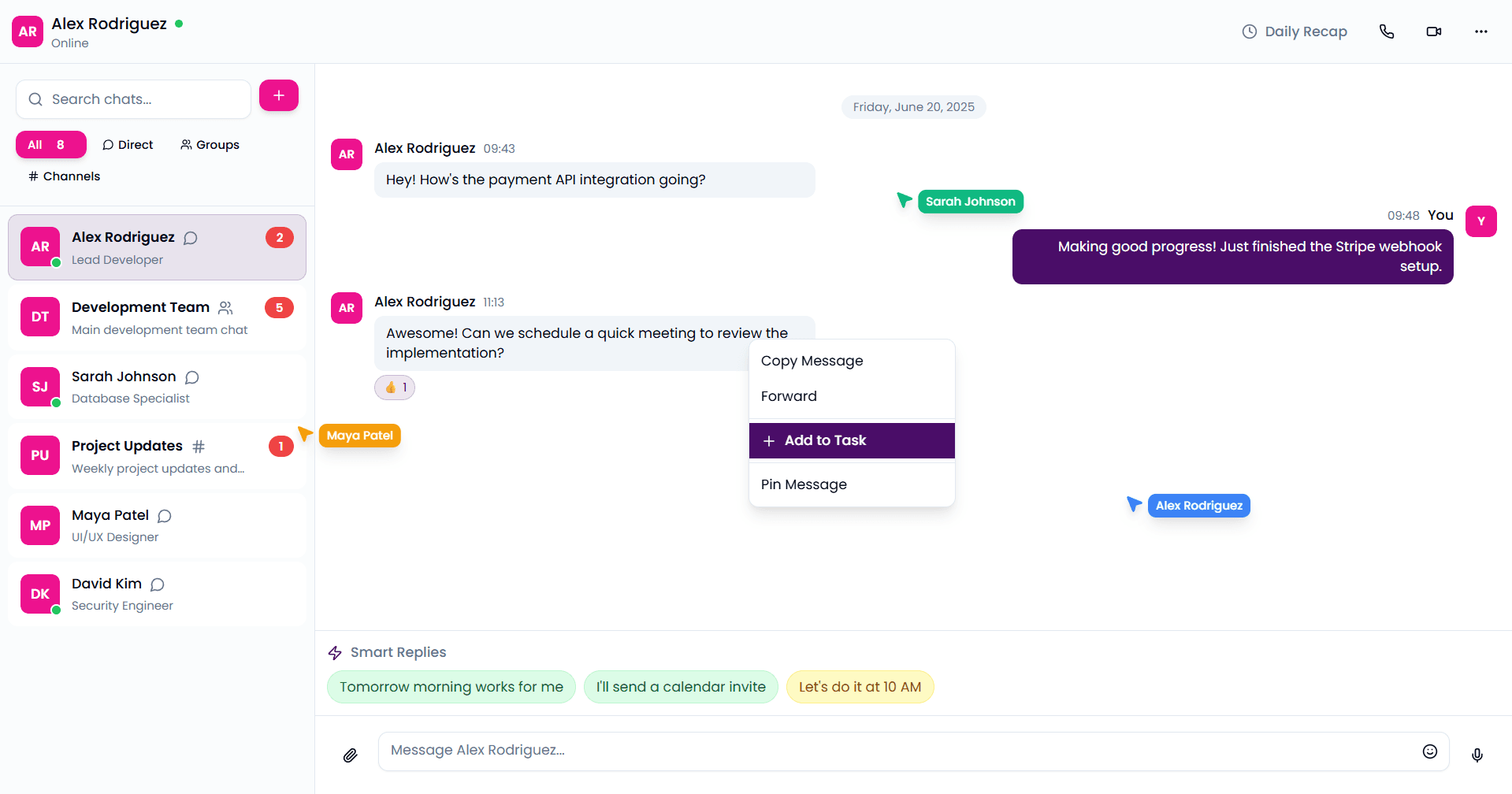
AI reads the conversation and drafts a reply in your voice — respond in one tap instead of one paragraph.
Proddy unifies messaging, tasks, boards, canvas, notes, and meetings so work moves from discussion to execution without friction.
Each tool works on its own or as part of the integrated ecosystem.
Real-time team communication with rich text formatting, threads, and AI-powered features.
One signal runs through your workspace — watch each tool pick up the busywork as it reaches it.
AI reads the conversation and drafts a reply in your voice — respond in one tap instead of one paragraph.
Records and transcribes your call, then hands back a summary, the decisions, and action items you can turn into tasks.
Describe a flow in plain words and watch it become a clean, editable diagram — no dragging boxes around.
Drop in raw meeting notes and get back structured headings, bullets, and extracted action items.
AI reads the conversation and drafts a reply in your voice — respond in one tap instead of one paragraph.
Records and transcribes your call, then hands back a summary, the decisions, and action items you can turn into tasks.
Describe a flow in plain words and watch it become a clean, editable diagram — no dragging boxes around.
Drop in raw meeting notes and get back structured headings, bullets, and extracted action items.
A morning digest of what moved while you were away — messages, decisions, and what's due — waiting on your dashboard.
Ask a question in plain English and get one answer pulled from messages, notes, tasks, and events — with its sources.
Describe work in a sentence and AI drafts the task — title, assignee, priority, and due date already filled in.
Spots blocked issues, suggests the dependency links behind them, and lays out the steps to clear the path.
Roll a channel's conversation over any time range into clean, structured notes — nothing to copy or paste.
Catch up on a busy channel in a tap with a tight summary of everything you missed while you were away.
Messaging, docs, tasks, boards, meetings, and more — replaced by a single workspace. Drag the divider to see the difference.
Drag the divider — or focus it and use the arrow keys.

Create a workspace. Invite your team. Free to get started.
No credit card required • Free plan available • Full platform access